
When preparing digital artwork for print, converting colors accurately is crucial. One of the most common tasks designers face is converting RGB color values — used on screens — into CMYK color values, which are used in printing. Understanding how this conversion works helps ensure that your printed materials reflect your original design intentions.
🎨 What Are RGB and CMYK?
RGB (Red, Green, Blue) is an additive color model used for digital displays like computer monitors, phones, and TVs. Colors are created by mixing light — when all three components are at full intensity, the result is white.
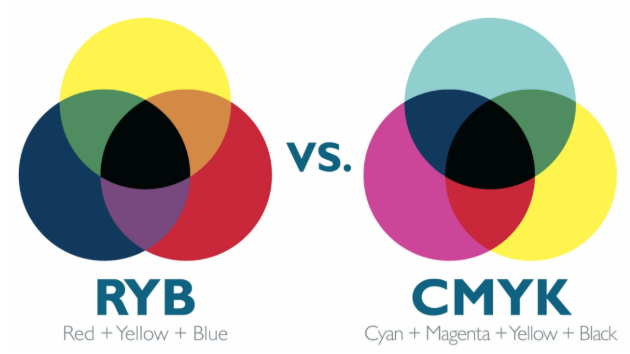
CMYK (Cyan, Magenta, Yellow, Black) is a subtractive color model used in print. In CMYK, inks absorb (subtract) light from white paper to produce colors. This model uses percentages of four inks — cyan, magenta, yellow, and key (black) — to mix printed colors.
🔁 Why Convert RGB to CMYK?
Digital designs are created using light-based RGB values. However, printers require ink-based CMYK values. Without conversion, colors that look vibrant on screen may print dull or inaccurately. Designers convert RGB to CMYK so printed materials better match the intended colors in the final output.
📐 How RGB to CMYK Conversion Works
Converting RGB values to CMYK involves several steps — normalizing the RGB inputs, calculating key color components, and then deriving CMYK percentages. Here’s how it works:
1. Normalize RGB Values
RGB values range from 0–255. To convert them to CMYK, you first normalize each component to a 0–1 range by dividing each value by 255:
R* = R / 255
G* = G / 255
_B* = B / 255
For example, RGB (100, 200, 50) becomes approximately R* = 0.392, G* = 0.784, B* = 0.196.
2. Calculate Key (Black) Component
The black (K) value helps determine how much black ink is needed. It’s calculated as:
K = 1 − max(R*, G*, B*)
In our example, max(0.392, 0.784, 0.196) = 0.784, so:
K ≈ 1 − 0.784 = 0.216
A higher K value means more black ink.
3. Calculate Cyan, Magenta, and Yellow
After computing K, the remaining CMY values are calculated using this formula:
C = (1 − R* − K) / (1 − K)
M = (1 − G* − K) / (1 − K)
Y = (1 − B* − K) / (1 − K)
With our numbers:
- Cyan (C) ≈ 50%
- Magenta (M) ≈ 0%
- Yellow (Y) ≈ 75%
- Black (K) ≈ 22%
Such a conversion lets you match on-screen colors closer to how they’ll appear when printed.
📌 RGB to CMYK Conversion Examples
Here are simple direct conversions of basic colors:
| RGB Color | CMYK Equivalent |
|---|---|
| (255, 0, 0) Red | C: 0%, M: 100%, Y: 100%, K: 0% |
| (0, 255, 0) Green | C: 100%, M: 0%, Y: 100%, K: 0% |
| (0, 0, 255) Blue | C: 100%, M: 100%, Y: 0%, K: 0% |
| (255, 255, 0) Yellow | C: 0%, M: 0%, Y: 100%, K: 0% |
| (255, 255, 255) White | C: 0%, M: 0%, Y: 0%, K: 0% |
These examples illustrate how different RGB hues translate into ink percentages that printers use.
🖨️ Final Tips for Designers
- Expect color shifts when converting from RGB to CMYK — not all web colors can be reproduced in print due to different gamuts.
- Always proof print colors before final production to ensure the result matches your design goals.
- Many professional design tools like Adobe Photoshop and Illustrator offer built-in CMYK conversion features for more control.
🔍 Conclusion
RGB to CMYK conversion is a foundational skill for any designer working across digital and print media. By understanding how color models differ and how values translate mathematically, you can better manage color accuracy in your projects — from screen to print.