
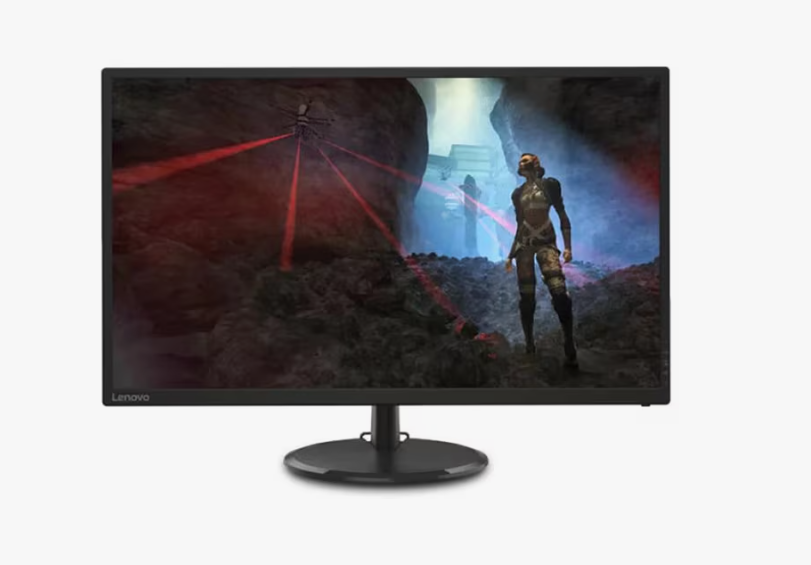
Choosing a 32 inch gaming monitor feels like a big step for your setup. The refresh rate is the most important part of this choice. It dictates how smooth your gameplay feels every second. A low rate makes games look choppy and slow. A high rate makes everything feel fluid and fast. Most buyers struggle to pick the right number for their specific needs. You might wonder whether 144Hz provides sufficient performance or 240Hz represents unnecessary excess.
This guide breaks down the 8 most vital decisions you need to make. We focus on speed and clarity for your large screen. Read on to find out how to get the most out of your new display. Your eyes will definitely thank you for making the right call today.
1. Match Your Speed To Your GPU Power
Your computer’s gaming performance relies on the graphics card as its core component. The system delivers visual frames to your display screen at a rate of one frame every millisecond. A 32 inch gaming monitor shows every tiny detail in your games, so your GPU needs to maintain high frame rates to prevent bottlenecks and wasted refresh potential. You must ensure your card can actually hit high frame rates. Check your current performance in your favorite titles first.
- Check your average frames per second in your top games.
- Look for a monitor that matches that average number.
- Remember that 4K resolution requires much more power.
- Balance your resolution goals with your refresh rate needs.
2. Evaluate The Sweet Spot Of 144Hz
Many gamers consider 144Hz the gold standard for modern play. It offers a massive jump over standard office screens. You will notice the difference immediately upon moving your mouse. Everything feels more responsive and snappy under your hand. It provides enough speed for racing games and shooters alike.
Why 144Hz Wins For Most People
This speed offers the best value for your hard-earned money. It does not demand an expensive top-tier graphics card. You get a professional feel without the professional price tag.
- It reduces motion blur significantly during fast turns.
- Most mid-range PCs can maintain this frame rate easily.
- The price for 144Hz 32-inch panels is very affordable now.
Choosing 144Hz keeps your budget safe while upgrading your joy. This leads us to the even faster options available today.
3. Pick The Right Panel Type For Motion
Not all 32 inch screens handle motion in the same way. IPS panels offer great colors, but can have some glow. VA panels offer deep blacks but sometimes suffer from ghosting. Ghosting happens when the pixels cannot change colors fast enough. This makes the high refresh rate look blurry and messy.
- IPS panels usually offer the best motion clarity overall.
- Fast VA panels are getting better at handling high speeds.
- OLED screens provide the best response times in the world.
- Look for “Gray to Gray” response time ratings on the box.
The panel tech determines if your refresh rate actually looks clean.
The global gaming monitors market will exceed $28.42 billion by 2034, while 32-inch gaming monitors establish themselves as the standard equipment for professional gaming competitions.
4. Look For G-Sync And FreeSync Support
Variable Refresh Rate technology is a total game-changer for buyers. It syncs the monitor rate to your GPU output instantly. This prevents screen tearing, which looks like a horizontal rip. It keeps the image whole even when frame rates drop low. Most modern 32-inch monitors include one of these two features.
- FreeSync works with AMD cards and some Nvidia ones.
- “G-Sync Compatible” is a great middle ground for many users.
- These tools make 60FPS feel much smoother than normal.
Smoothing out the frames is vital for a consistent experience. Now we must discuss how resolution affects your speed choices.
5. Identify Your Primary Game Genres
Your favorite games dictate exactly how much speed you really need. A strategy game does not need a 240Hz refresh rate. The minimum refresh rate requirements for an esports title need 60Hz to create playable conditions. Your primary gaming location should be your most frequently used space.
Choosing By Genre
Fast games need fast screens to keep everything clear. Slower games benefit more from higher resolutions and better colors.
- First-person shooters demand the highest Hertz possible.
- Role-playing games look better with high resolution.
- Racing simulators need wide views and fast refresh rates.
- Work and play setups need a balanced middle ground.
Once you know your genre, you can look at the ports.
6. Check Your Connection Cable Limits
Your monitor cable must handle the data for high speeds. Older HDMI versions cannot do 4K at high refresh rates. You must check the ports on your PC and your screen.
- DisplayPort 1.4 handles most 1440p high-speed needs.
- Ensure your GPU has the right output for the monitor.
- Cheap cables often cause flickering or black screens.
Getting the right cable ensures you actually see the speed. Let us look at how motion blur reduction helps, too.
7. Test The Motion Blur Reduction Features
Many monitors have special modes to hide blur further. This is often called ELMB or Black Frame Insertion. It strobes the backlight to make the image look sharper. Some people love this feature for competitive play. Others find that it makes the screen look too dim.
- It mimics the look of old CRT monitors for clarity.
- Check if you can use it while FreeSync is active.
- Some users experience eye strain from the flickering.
- It works best at very high and stable frame rates.
Extra features are nice, but don’t forget the physical setup.
8. Think About Your Viewing Distance
A 32-inch screen takes up a lot of your vision. If you sit too close, you will see individual pixels. If you sit too far, you miss the benefit of the speed. The experience of high refresh rates becomes more immersive when the entire screen space of the display is visible to the viewer.
- People should maintain a distance of three feet from a 32-inch screen.
- The monitor arm system enables users to adjust display height and depth according to their needs.
Conclusion
Selecting a 32-inch gaming monitor is an exciting journey for any player. You now know how Hertz affects your daily gaming sessions. Focus on your GPU power and your favorite game types first. Do not forget to check your cables and sync settings too. A smooth screen makes every victory feel much more rewarding. Take your time and compare the specs before you buy. Your perfect gaming experience is just one smart choice away.