
Business leaders want secure access to apps and data while keeping costs under control. This is a result of many teams now working across offices, homes, and client sites. That shift can make IT support harder. It can also raise security risks and slow down projects. But the good news is that a modern desktop approach can help.
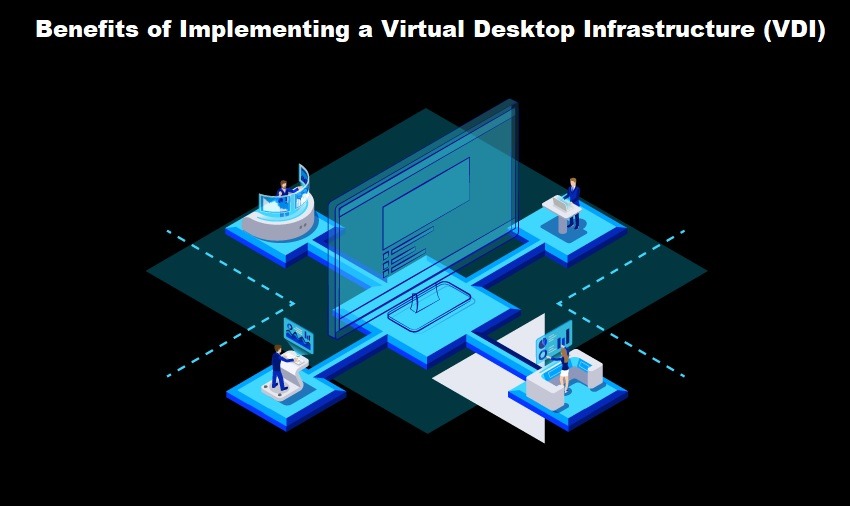
Virtual desktop infrastructure lets your team use a desktop that runs in a data center or cloud. With this, users connect from many devices while IT keeps control in one place. This model can reduce downtime and improve the user experience, and support growth without a large hardware refresh.
Below are five practical benefits that matter to teams. They focus on security, speed, savings, and better service for your workforce.
Stronger Security And Better Control
Security is a top concern for every business. Many risks include laptops getting lost, devices being unpatched, and employees using public Wi-Fi. These issues raise the chance of data leaks. With a centralized virtual desktop infrastructure model, data stays in a controlled environment so IT can lock down access with strong policies. You can require multi-factor login, limit copy and paste, or file downloads when needed.
Central management helps with compliance, too. You can apply updates to many desktops at once, log activity for audits, and set roles for different teams. This reduces human error and keeps security rules consistent.
Easier Remote Work And Device Flexibility
Hybrid work is now normal for many industries. Your sales team may travel, partners may need quick access, and your contractors may join for short projects. All of this creates pressure on IT.
A virtual desktop can be reached from a laptop, tablet, or thin client. It can also work on a personal device with the right controls. This helps you bring your own device programs.
Plus, it speeds up onboarding. A new hire can get access on day one, and a contractor can be set up in hours. You can remove access just as fast when the work ends. This improves agility and lowers risk.
Lower Costs And Smarter Hardware Spending
Desktop fleets are expensive to refresh, and high-end devices cost more each year. Not only that, but support costs rise as machines age, and shipping hardware to remote staff adds more expense.
With virtual desktop infrastructure, you can extend the life of endpoint devices. Many tasks run on shared servers instead of local machines, and users can often work well with simpler hardware. That can cut capital costs.
IT can also reduce support time as central images make repairs faster. So if a desktop malfunctions, you can roll back to a clean version. That reduces downtime and keeps projects moving.
Cost control improves in other ways, too. You can scale resources based on demand. You can add more capacity during busy seasons and reduce it later. This avoids overbuying hardware that sits idle.
Faster Deployment And Cleaner IT Operations
Standard desktops can drift over time. For example, one device has a newer driver, and another has a risky tool installed. These differences create tickets and slow down fixes.
Centralized desktop delivery makes standardization easier. IT can build a few approved images, and teams can get the right desktop based on their role. Plus, updates can be tested once and then pushed to many users.
This also supports better disaster recovery. If an office loses power, staff can work from another location. If a device fails, the user can reconnect from a spare device. IT can restore service faster because the desktop is not tied to one machine.
This approach also helps with mergers and growth. You can integrate new teams without a full device swap and move users to a common environment faster. That speeds up the value from the deal.
Better Performance For Demanding Workloads
Some roles need heavy apps. Examples include design tools, data analytics, or large ERP sessions. Local devices may struggle. Users then face lag and crashes.
A centralized setup can run these workloads on powerful servers. You can assign more CPU, memory, or GPU when needed. You can also separate high-demand users from standard users. That makes planning easier.
It can also improve the experience over time. You can tune the environment based on usage. You can spot bottlenecks using monitoring tools. You can fix issues at the platform level instead of device by device.
For global teams, this can help too. You can host desktops closer to key regions. That can reduce latency and improve app response.
Conclusion
Business IT must deliver security, flexibility, and steady performance. It must also be done within a limited time and budget. Virtual desktop infrastructure supports these goals by moving desktops to a managed platform.
That shift can lower risk because data stays centralized. It can simplify remote work since users can connect from many devices. It can reduce costs by extending endpoint life and cutting support effort. It can speed up deployment with standard images and quick recovery. It can also handle demanding apps by using shared compute power.
If you are planning a desktop refresh or a hybrid work strategy, consider a pilot. Start with one team that has clear needs. Measure support tickets, login times, and user feedback. Use those results to build a strong business case and a roadmap.