
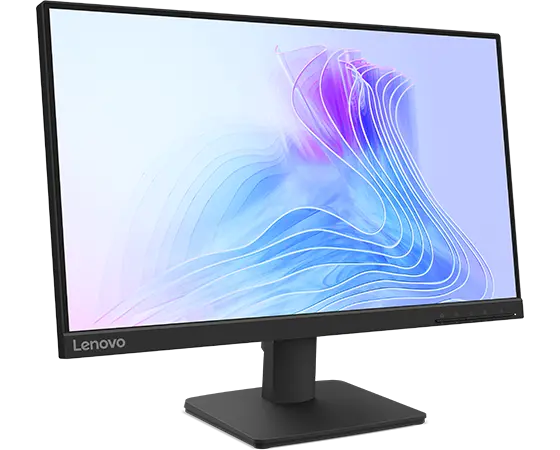
Modern businesses move at a fast pace, and employees handle many tasks at the same time. Professionals review reports while joining video calls and answering emails. Designers work across multiple tools while tracking client feedback. Financial teams manage dashboards and spreadsheets side by side.
Given this growing demand, a reliable display setup plays a central role in daily productivity. An ultrawide monitor supports this need by giving you a wider digital workspace that feels natural and organized.
Instead of switching between tabs or juggling windows across two small screens, teams can view everything in one clear space. As a result, work flows more smoothly and attention stays focused on results.
Let us explore why organizations choose an ultrawide monitor to strengthen multitasking across departments.
1. Wider Screen Space Keeps Everything in View
The first reason an ultrawide monitor improves multitasking comes from its extended horizontal space. A traditional screen usually follows a 16 by 9 ratio. However, an ultrawide monitor often uses a 21 by 9 ratio which stretches the display across a broader field of view. Because of this extra width, you can open multiple full sized windows side by side without shrinking them too much.
As a result professionals no longer waste time switching between tabs. Instead they compare documents in real time and track updates while writing responses. This steady visibility reduces mental strain since the eyes stay focused on one continuous screen.
Furthermore, the wide layout feels more natural because it matches how people scan information from left to right.
2. Better Workflow for Data Heavy Tasks
Many business roles depend on large data sets and detailed dashboards. Financial analysts scroll through long spreadsheets. Marketing teams monitor campaign metrics. IT professionals track performance logs. When users work on a standard screen they often scroll back and forth to view hidden columns. This constant movement interrupts concentration and slows decision making.
An ultrawide monitor solves this challenge by displaying more columns and charts at once. Because the screen stretches horizontally users see a larger portion of their data without extra clicks. As a result they analyze trends faster and spot patterns more clearly.
How It Supports Data Teams
- It allows wide spreadsheets to stay fully visible
- It keeps dashboards and reports open together
- It reduces the need to zoom in and out
- It helps teams compare numbers across systems
3. Smooth Multitasking Without Dual Monitor Gaps
Many professionals use two separate screens to handle multitasking. Although this setup adds space it also creates a gap in the center where the bezels meet. This physical break interrupts visual flow and sometimes causes neck movement between screens. As a result, you may feel slight discomfort after long hours of work.
An ultrawide monitor provides a single continuous display. Because the screen has no middle border, users move their eyes smoothly from one window to another. This natural motion reduces strain and keeps attention centered. Furthermore a curved ultrawide design can gently wrap around you which supports a more immersive experience.
4. Improved Collaboration During Virtual Meetings
Virtual meetings now form a major part of business communication. However many professionals struggle to balance video calls with note taking and document review. When they use a smaller screen the meeting window often covers important files. As a result they switch back and forth which can break focus.
An ultrawide monitor changes this experience by offering enough space for both communication and active work. Because the display stretches wide, you can keep the video meeting open on one side while editing documents on the other side. This setup helps them stay present in the conversation while completing tasks at the same time.
Benefits for Remote and Hybrid Teams
- It keeps presentation slides visible while reviewing notes
- It allows real time editing during discussions
- It supports screen sharing without hiding key windows
- It improves engagement during long meeting
5. Stronger Focus and Reduced Distractions
Multitasking does not only depend on screen size. It also depends on how clearly you organize your workspace. When windows overlap on a small monitor visual clutter increases. Because of this clutter, you lose focus and feel overwhelmed.
An ultrawide monitor encourages a cleaner layout. Since the screen offers broad space users can arrange applications in a structured way. For example they can dedicate one area to communication tools and another area to core tasks. This separation creates a sense of order which supports concentration.
Moreover many ultrawide monitors include built-in software that divides the screen into defined sections. As a result users snap windows into place without manual resizing. This simple organization reduces distractions and helps professionals stay engaged with their goals.
Conclusion
Work today demands attention across many directions at once. Professionals review data, communicate with teams and complete tasks under tight timelines. Therefore the tools they use should support clarity and efficiency rather than create obstacles.
An ultrawide monitor delivers the wide space needed for modern multitasking while keeping everything organized in one continuous view. Because users see more at once they switch less and focus more. As a result they complete tasks with greater confidence and steady concentration.
When businesses invest in displays that truly match the way people work they send a strong message that productivity and well being matter. If your daily routine involves managing multiple windows and constant transitions an ultrawide monitor may offer the balanced workspace you need to perform at your best and stay connected to your goals.