
Every gamer chases the smoothest visuals. Fast-paced games demand quick reactions and clear visuals. Motion blur can break that experience. No one wants hazy movement when chasing an opponent or racing against time. Curved monitors are now common in gaming setups and promise an immersive view. Many wonder if they can also reduce motion blur. The answer is partly about display design and partly about eye comfort.
Curved screens do more than look stylish. They change how eyes track movement across the screen. The curve pulls your focus naturally to the center. That reduces strain and keeps action in balance. But does that mean motion blur goes away completely?
Let’s explore how curved monitors impact clarity and what truly matters in those intense gaming moments.
The Real Reason Behind Motion Blur
Motion blur shows up when the screen fails to refresh each frame cleanly. Your eyes detect trail-like movements. This happens most when refresh rates and response times fail to sync with the gameplay speed. Fast-paced action turns unclear. A few technical terms can help explain this issue more clearly. Using curved monitors with high refresh rates and fast response times ensures smooth motion and clear details. This makes gameplay and videos more enjoyable.
- Refresh rate means how many frames per second the display shows.
- Response time means how fast each pixel changes color
- Frame rate means how quickly your system sends new images to the screen.
When these fail to align, blur appears. Even premium displays face this challenge when the GPU or monitor lags behind the gameplay. The curve keeps the distance from your eyes more even.
So, when your eyes move from side to side, focus remains uniform. That gives a smoother perception, even if technical blur still exists. The eyes stay natural in movement, reducing the feeling of sharp jerks.
Why Eyes Matter More Than Specs
Human vision plays a big part in this blurred story. Flat screens force eye movement in straight lines. Curved designs let eye movement follow a gentle arc. That motion reflects the shape of human sight. The brain processes curved visuals faster with less adjustment. The curve reduces perceived distortion near the edges. So, your eyes stay relaxed even in long sessions.
Still, eye comfort differs from pure motion clarity. A monitor can have perfect comfort yet still blur if its refresh rate is low. The curved shape buffers only how the blur feels, not how it forms.
These are the reasons most people, especially gamers, now prefer curved monitors. As per the report, the total market of curved monitors is likely to cross $8500 million by 2025.
Curved Monitor Design and Its Gaming Impact
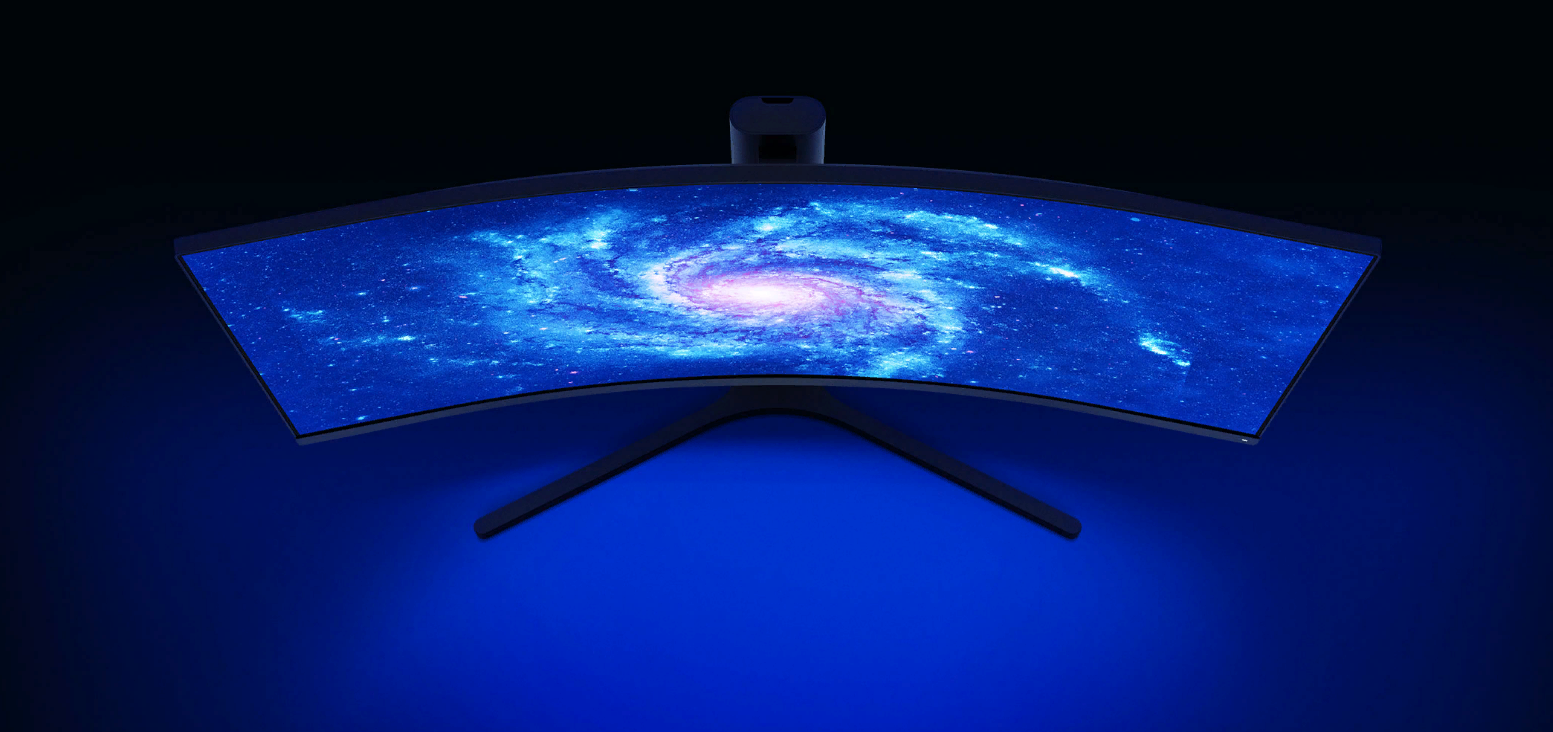
Curved monitors have a display radius generally written as 1000R, 1500R, or 1800R. The lower the figure, the sharper the curve. This affects how deep your visual field feels when gaming. The curve wraps around your sight and brings the corners closer. It creates immersion that mimics natural depth.
Games move fast across wide screens. Curved monitors pull the outer edges inward, reducing peripheral strain. When tracking on-screen motion like enemy movements or racing cars, this design can keep your focus more stable.
-
The Motion Connection
When turning fast or moving objects flash past, your head might tilt slightly. The curved screen keeps that movement within equal focus. Your sight path remains circular rather than zigzag. This gives a tighter link between motion and visual tracking. In effect, this smoothness can reduce how strong the blur appears.
Still, this benefit doesn’t replace strong technical features like G-Sync or FreeSync. These sync your GPU and monitor refresh rate, cutting down stutter and tearing. So while the curve supports your eyes, sync technologies handle the core of blur control.
-
What Really Eliminates Motion Blur?
The curve alone cannot erase the blur. For that, key hardware features come into play.
- High refresh rate above 120 Hz improves clarity.
- Low response time under 1ms keeps pixels accurate.
- Adaptive sync removes tearing and flicker.
- Overdrive mode boosts speed in pixel transitions.
- Black frame insertion clears rapid trails between frames.
These create a technical foundation for clear images. A curved monitor with these traits performs as well as a flat one in removing real blur. The curve adds comfort and immersion, but not extra performance power by itself.
-
Curved Monitors and Peripheral Vision
Peripheral vision affects reaction speed. A curved monitor uses this by bending visuals toward you. That means corners don’t fade away at odd angles. This helps maintain focus on fast-moving objects across the screen.
Peripheral coverage improves tracking during first-person shooters or racing titles. Motion across the edges stays clear and natural. Eye travel distance drops significantly. In contrast, flat monitors force a slight refocus at each boundary.
-
Syncing Motion With Focus
That natural curve-to-eye alignment strengthens reaction timing. Gamers feel more connected to fast transitions and can track multiple targets more smoothly. When used with variable refresh features, it creates a seamless flow. The curved edge removes awkward breaks along the sides of the image, giving one clean motion path.
This combination improves not just the look but also the timing needed for perfect moves. In competitive play, that small advantage can matter.
Choosing the Right Curved Monitor
Buying a curved monitor is about balance. For any gamer who seriously cares about motion clarity, some main features are to be considered.
- Refresh rate: At least 144 Hz for fast and smooth movement.
- Panel type: VA panels often blend speed with solid contrast.
- Sync technology: Prefer G-Sync or FreeSync compatibility.
- Response time: Under 1ms gray-to-gray transition.
These specifications optimize both clarity and comfort. The curve feels enjoyable only when supported by responsiveness. Otherwise, motion blur still appears even if the viewing angle feels smooth.
The Final Word
Yes! Curved monitors eliminate motion blur, but only when paired with high refresh rates and fast response times. They create immersion that feels real. Eyes stay happier during long hours of rapid gameplay. The visuals feel steady even when action explodes across the screen. For serious gamers who value both clarity and comfort, the curved monitor brings both worlds together.